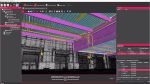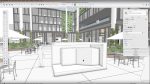

ItÝs good to get away from the AutoCAD side of the CAD world for a while. A tour around TurboCAD Professional left Martyn Day amazed at the value on offer.
TurboCAD is one of those products that has been around for so long that most people have heard of it but not too many have actually used it. Having lived in the shadow of AutoCAD and LT, TurboCAD has never really got the airing it probably deserves, considering it has had a huge amount of software engineering work thrown at it. Despite this the package has sold hundreds of thousands of copies worldwide and has benefited from Autodesk really opting to walk away from the true retail market, having put AutoCAD LTÝs price into orbit.
TurboCAD development has been quite dedicated in following AutoCADÝs functionality and offering a bigger bang for the buck. DWG compatibility is pushed forward in the companyÝs marketing, together with developing support for AutodeskÝs LISP and ARX programming languages. While IntelliCAD claimed to be the AutoCAD clone, TurboCAD, based own the same DWG technology is probably the most successful in terms of copies sold. However, one questions how much these features are truly in demand. I can understand DWG requirements but with todayÝs users I would have thought LISP was a declining talent and ARX is mainly used by professional developers.
TurboCAD 14
Probably the most confusing thing to understand about TurboCAD is the functionality related to the version you have. There are five flavours of TurboCAD ± TurboCAD Delux, TurboCAD Professional 14, TurboCAD Pro Architectural, TurboCAD Pro Mechanical and TurboCAD Platinum. The Deluxe version is intended for home users or occasional users and doesnÝt include the powerful ACIS solid modelling engine. TurboCAD Pro 14 doesnÝt have any of the verticalised content but does 3D. The Architectural and Mechanical versions have content that is obviously appealing to each professional vertical and Platinum combines the functionality of all products, so itÝs the Ùall rounderÝ.
TurboCAD is also available for the Apple Macintosh, although the versions here are currently at V2. On the Mac there are two flavours, TurboCAD Mac Pro v2 for 2D drafting and 3D modelling, and TurboCAD Mac v2 which only offers 2D drafting and design. ThereÝs also an additional application which contains over 12,000 2D/3D symbols and parts. It a little odd that there is no specific architectural version for the Macintiosh, which is probably the strongest vertical for the Mac platform.
{mospagebreak}
AEC
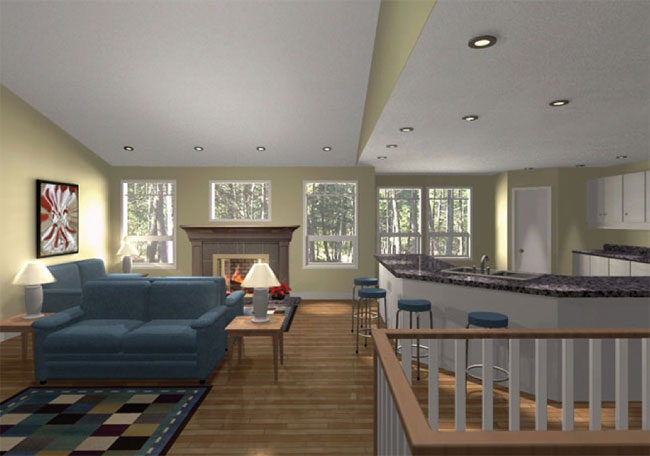
TuboCAD offers all the standard and advanced options for straight 2D drafting. You will not be disappointed if using this tool to sketch out simple to complex ideas and models. However, the AEC version provides an extra suite of tools to build configurable architectural models.
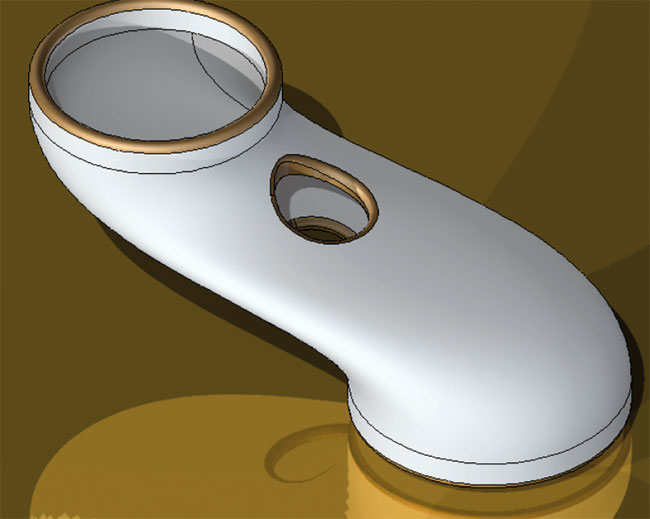
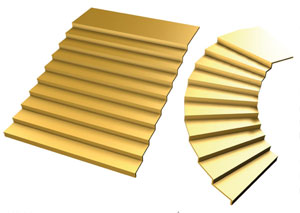
TurboCAD Pro 14 Architectural Edition is aimed at professional users. It offers integrated 2D drafting, 3D surface and solid modeling, together with surprisingly good 3D photorealistic rendering. The new version of TurboCAD comes with over 50 enhancements – too many to list here – but the smart dimensioning, wall dimension tool, dynamic window and door schedules are particularly impressive. As is the parametric stair generator which offers a number of different styles.
TurboCAD AECÝs flavour comes with all the usual architectural elements: walls, doors, windows, roofs and stairs, all of which are parametric and easy to edit on the fly. The system offers a series of wall openings with associated styles and all the walls self-heal in both 2D, 3D and curved form. As you would expect thereÝs support for sections and elevations, which can all be laid out in paperspace for detailed drawings. TurboCAD can also generate rendered walkthroughs for playback. ThereÝs a new terrain import and modelling capability which can be used to place your design in digial-situ.
Conclusion
I was quite surprised at the depth of AEC features on show in TurboCAD Pro 14 Architectural. I havenÝt mentioned the price yet, but at ú525, itÝs almost half the price of LT which wouldnÝt know a staircase from a polyline. ItÝs also only ú27 more than the vanilla vesion of TurboCAD Pro 14! The Platinum version, which has absolutely everything is only ú10 more. ItÝs quite astonishing. I knew TurboCAD was inexpensive but didnÝt realise just what a bargain it is.
So, there is actually a hell of a lot going for TurboCAD in both price and features. However the company has an uphill struggle to change the perception of what TurboCAD can do – after all, itÝs been around for ages. IMSI has long targeted Autodesk and AutoCAD but the DWG bandwagon doesnÝt appear to have slowed down any; in fact it appears to be accelerating. Autodesk has certainly been a dominating force but has oddly moved out of the retail markets as its products have accelerated in price. I hear that Autodesk is thinking of re-addressing this, so it will be fascinating to see how IMSI copes with renewed competition, especially as Autodesk will not be able to provide the breadth and depth of features that TurboCAD has, not without damaging sales of Inventor and Revit. It will be AutodeskÝs DWG compatibility vs TurboCADÝs massive bang per buck.